

01
Receive
Scan goods in
Ordorite warehouse · Furniture retail WMS
Receive, locate, pick, load, stocktake and confirm delivery through mobile workflows connected to the same live inventory record.
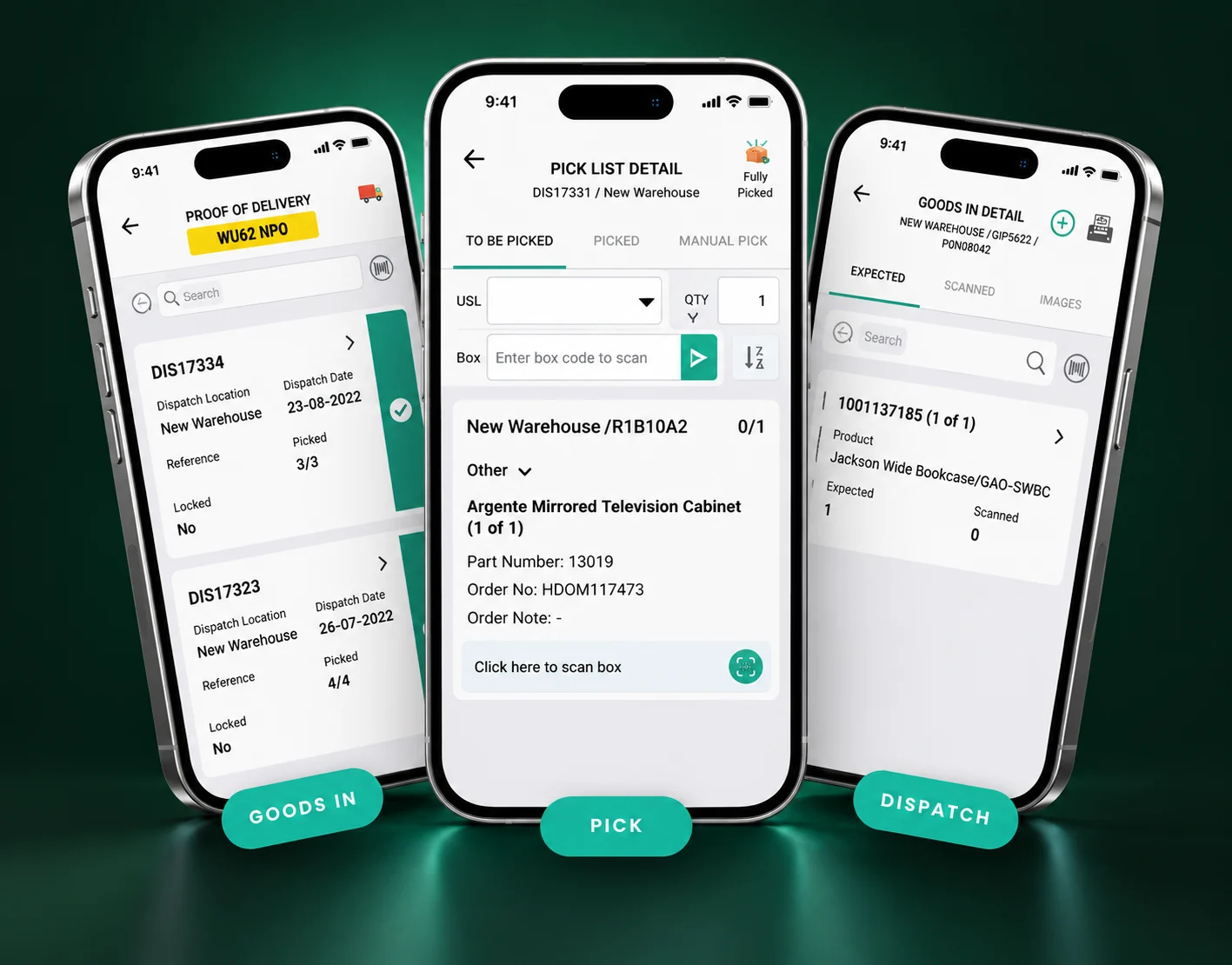
One connected warehouse movement
Each scan updates the job in front of the warehouse team and the inventory record behind it.
01
Scan goods in
02
Assign the position
03
Follow the live list
04
Scan onto the truck
05
Track the run
06
Capture proof
Ordorite’s scanning tools have slashed our stocktaking time from days to hours, boosting our warehouse efficiency.

Mobile apps, built into the operation
Ordorite's mobile apps connect barcoding, box management, stock checks, transfers, picking, loading and delivery confirmation, so work on the floor updates the wider retail operation as it happens.
Check expected inventory against what arrives and update the warehouse record as goods are received from suppliers.
Track stock movement across warehouse locations so teams know where an item should be before the search begins.
Sort pick lists by customer order, product or an efficient route around the warehouse, then scan items as the run progresses.
Search alternative locations, correct a location through a stocktake and flag replacement-order items for extra care.
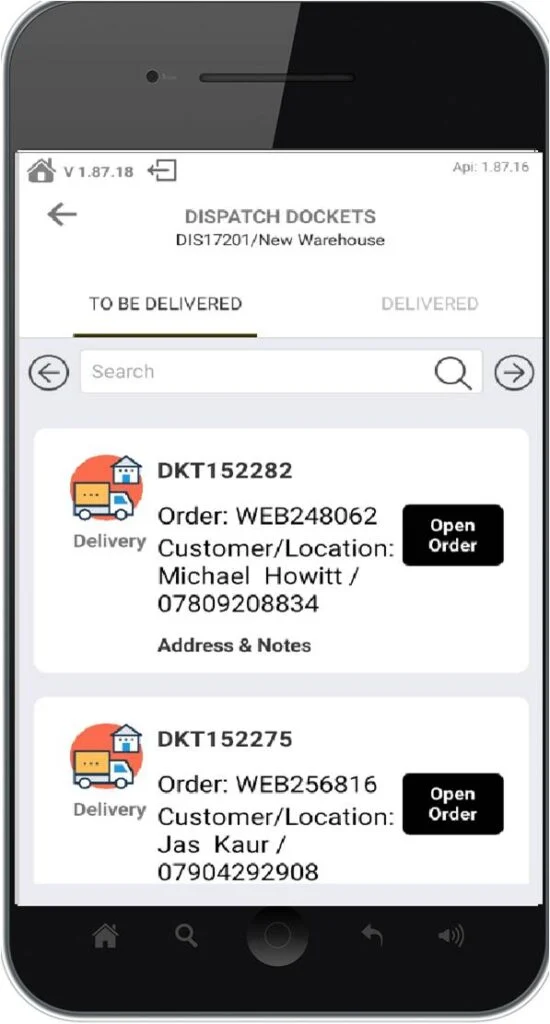
Scan picked goods onto the truck so the team can confirm that the delivery run is complete before it leaves.
Capture signatures or photos, record faults or failed deliveries and mark goods delivered in real time.
Check quantities and locations from the shop floor or warehouse, with barcode scanning at hand.
Search the catalogue and scan individual boxes to see product details without returning to a fixed terminal.
Move inventory between stores, warehouses and locations while keeping the central stock record current.
Mobile apps for every team
Ordorite's mobile apps put stock availability, quantities and locations in the hands of the store, warehouse and delivery teams receiving, counting and moving goods.
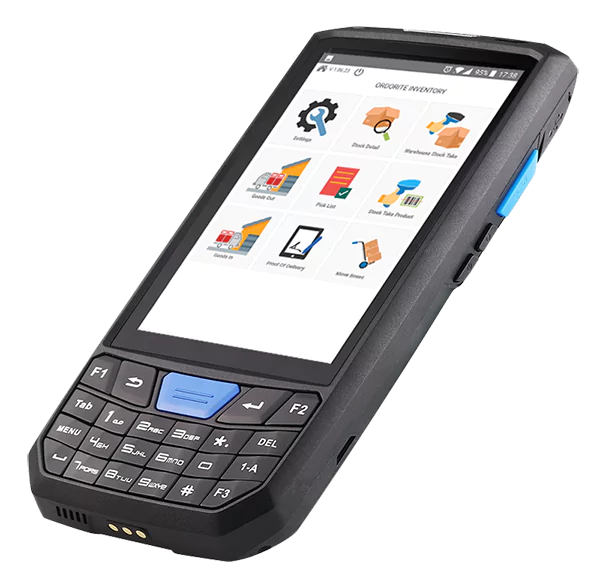
Receiving starts the record
The goods-in workflow gives the warehouse team a mobile view of expected products and what has already been scanned into the location.
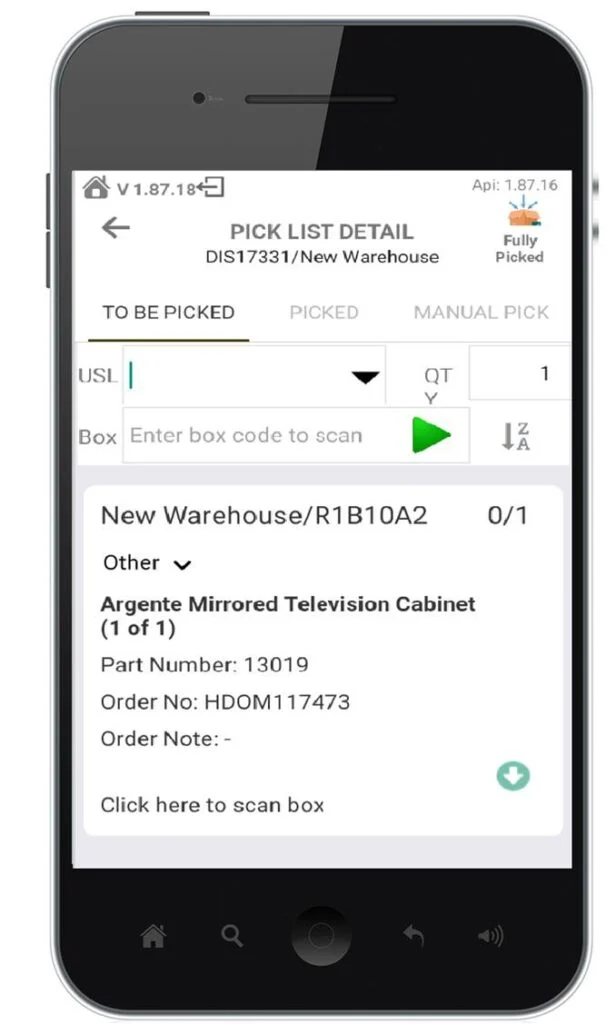
The pick list goes to the stock
Mobile pick lists keep order details, box scanning and location information together while the team moves through the warehouse.
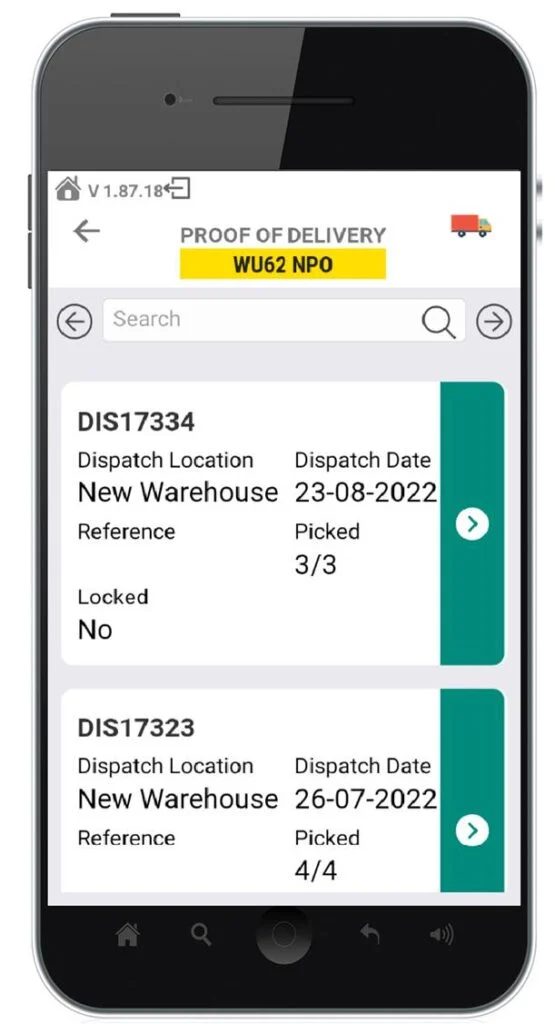
Delivery completes the movement
Loading and proof-of-delivery workflows connect the warehouse handoff to the delivery outcome without waiting for paperwork to return.
A warehouse that answers back
Faster
The next task is already clear
Located
Every item has a position
Checked
Each movement leaves a scan
Ready
Loads match the delivery run
Book a focused demo and see how Ordorite connects receiving, locations, picking, loading and proof of delivery.