

New sale
Open the order and start with a clean customer conversation.
OrdoritePOS · Furniture store POS system
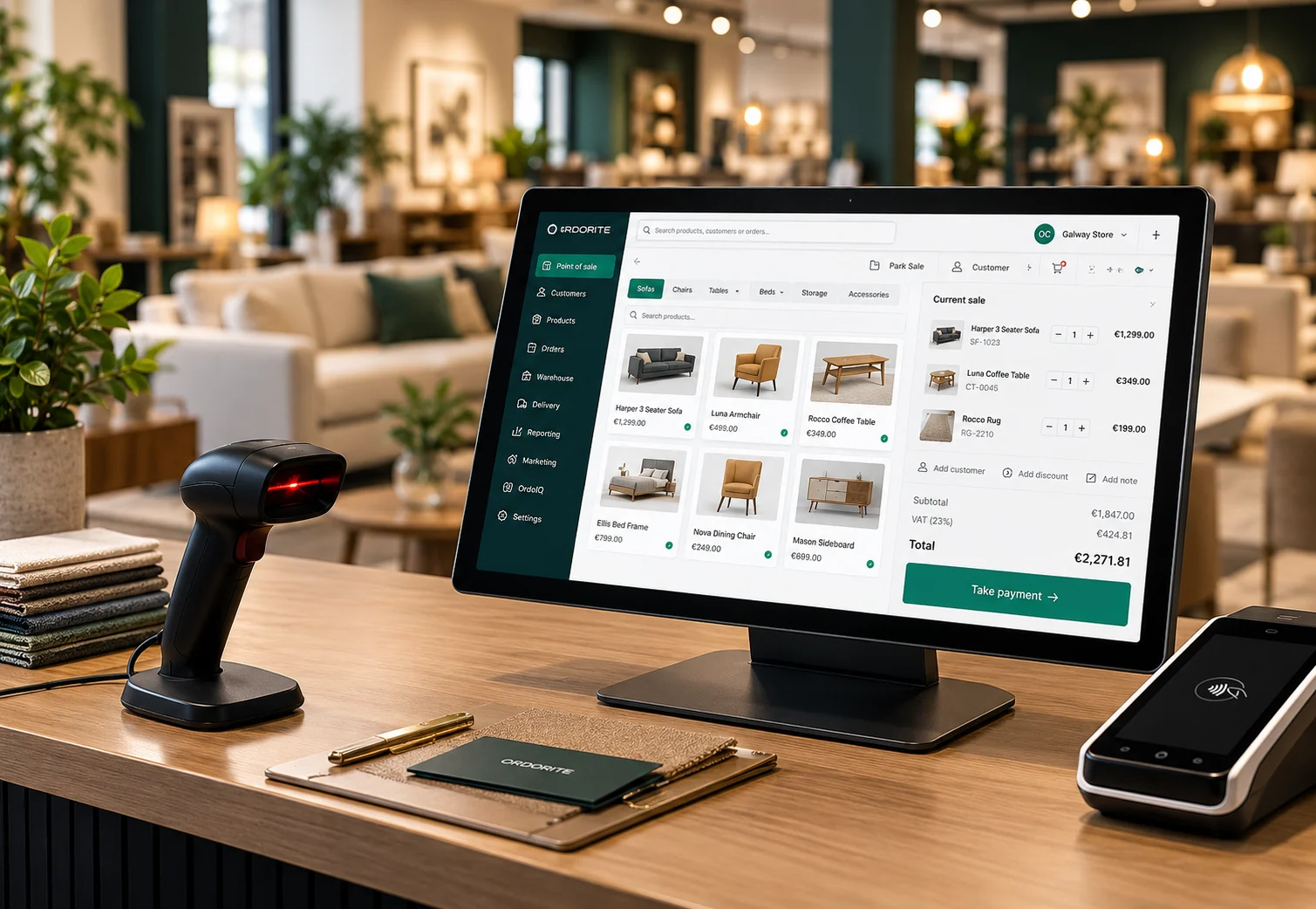
Furniture retail does not stop at the till. OrdoritePOS brings live stock, special orders, customer history, linked products and payment hardware into one fast showroom flow.
Five steps. No showroom theatre.
A clear sales flow helps the team move quickly without losing the details that matter later—customer, product, availability, fulfilment and payment.
Open the order and start with a clean customer conversation.
Find an existing record or capture the details once.
Search the range, check live availability and configure the item.
Confirm products, fulfilment and customer information before committing.
Take payment, print the receipt and keep the wider operation updated.
Customer result
HSL reduced its checkout process from 20 minutes to as little as 3 minutes with Ordorite.

20 minutes per checkout before
As little as 3 minutes with OrdoritePOS
The showroom sale, connected end to end
OrdoritePOS keeps the customer conversation simple while capturing the stock, order, payment and product detail the rest of the operation depends on.
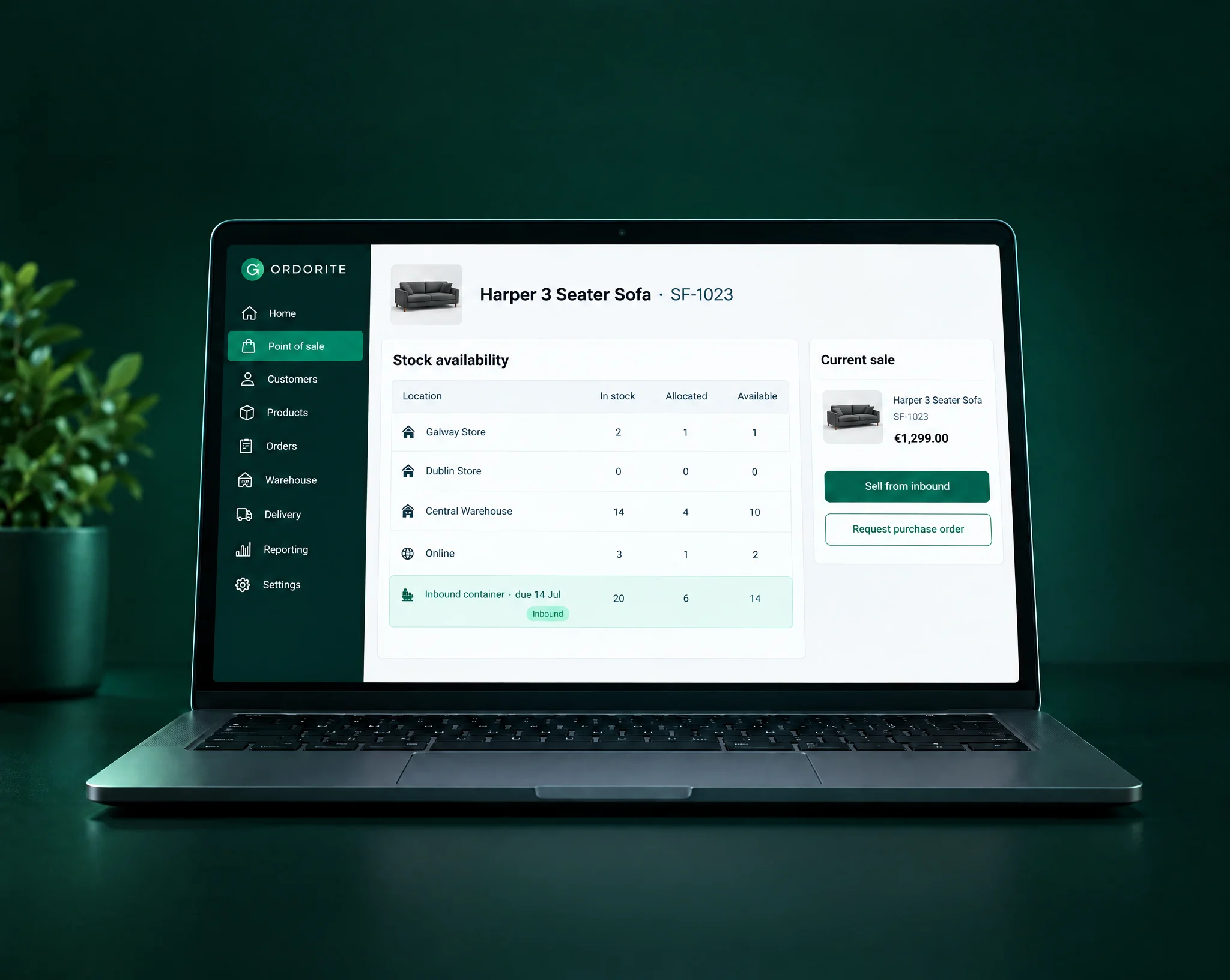
See stock across stores, warehouses and online in real time. If an item is not available, raise a purchase-order request or sell against inbound stock.
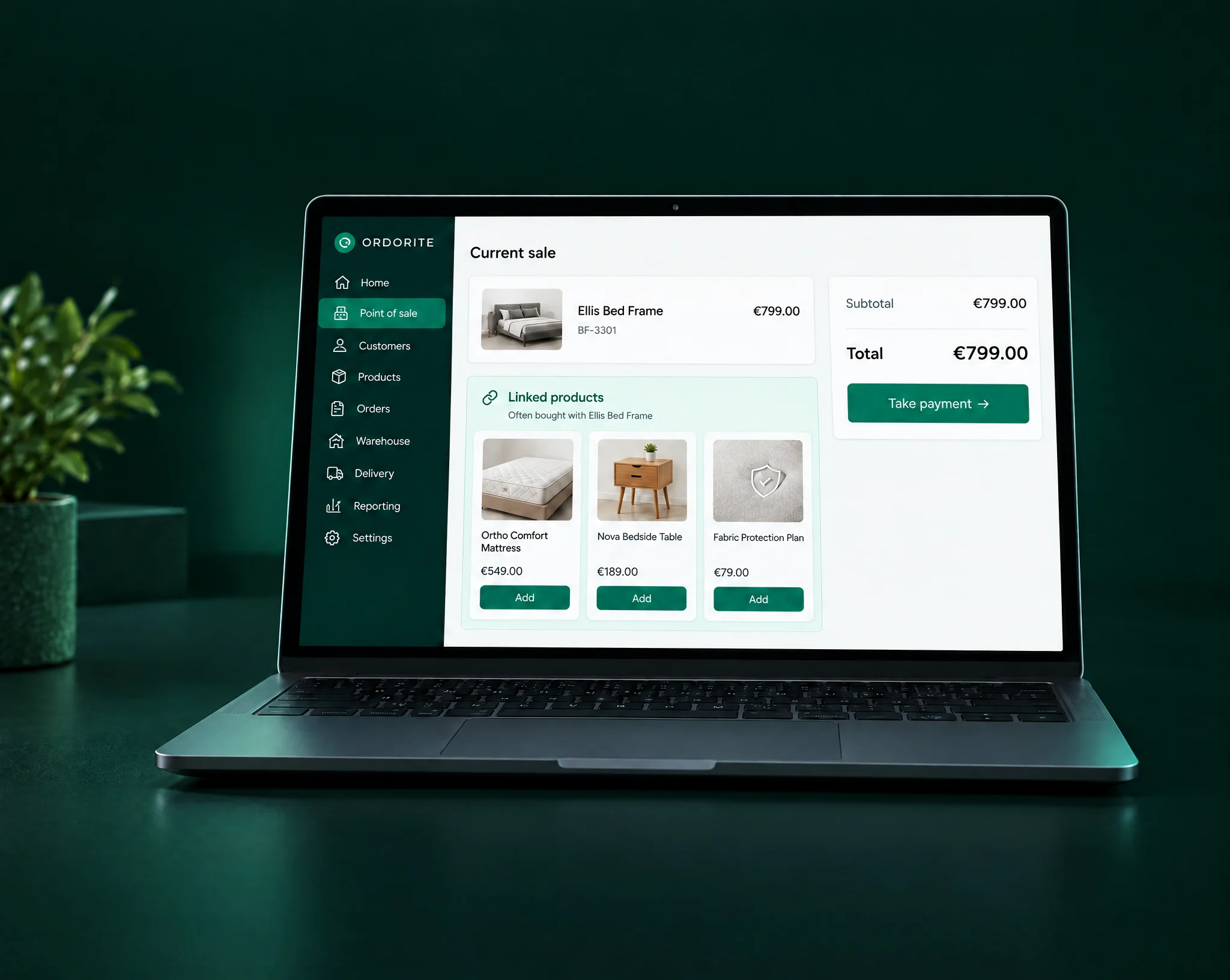
Prompt the team with relevant add-ons and related products while the order is being built, rather than relying on memory at the till.
Capture name, address, phone and source information during the transaction, then keep those details ready for future visits and follow-up.
Record future product interests and dates so the team can follow up with relevant marketing when the customer is ready.
Connect supported payment terminals alongside receipt printers, barcode scanners and cash drawers to manage the complete point-of-sale interaction.
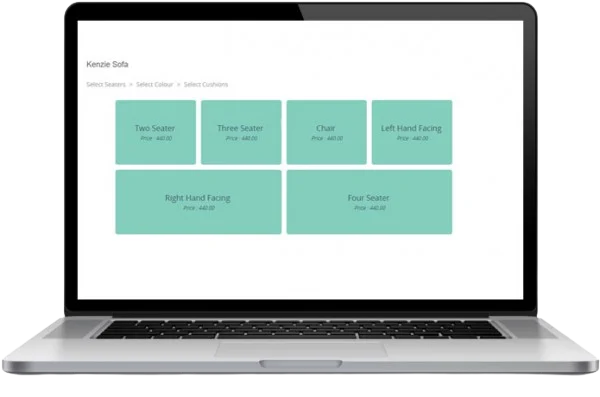
Build made-to-order furniture with the relevant colour, fabric, size and style choices captured directly against the customer order.
Sell from what is actually available
Give showroom teams a live view of availability across the retail operation, including stores, warehouses, online stock and inbound supply.
Make the basket make sense
OrdoritePOS can prompt linked and related products while the order is taking shape, helping the team build a more complete customer solution.
Furniture is rarely one-size-fits-all
Capture made-to-order product choices directly in the sale, including fabric, colour, size, style and configuration.
Book a focused demo and see how OrdoritePOS handles your products, customers, stock and sales flow.